Vehicles & Construction
Build a cart, crew a ship or fly an airship. Choose a vehicle below for its materials, build time, fuel and 3D preview.
Last modified:
- Vehicles
- 21
- Construction
- 6 to 96 minutes
- Air vehicle unlock
- 6 Crafter points total
Choose a vehicle
Build your first vehicle
- Open
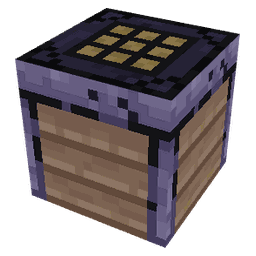
/professionsand buy Engineer ranks in the Crafter profession. Engineer I costs 1 point for ground vehicles. Engineer II requires I and costs 2 more points for ships. Engineer III requires II and costs 3 more points for aircraft. - Craft and place an Engineering Table for land vehicles, fixed guns and aircraft, or a Dockyard for ships. Use the crafting-table patterns below.
- Right-click the station, choose a category and select a blueprint that your Engineer rank unlocks. Gather its listed materials before selecting the building spot.
- Left-click the intended spawn point within 12 blocks of the station. Choose it within 30 seconds of selecting the blueprint. The materials are consumed when you choose the spot.
- Wait for the build to finish. Stay within 96 blocks so the completed vehicle can appear, then right-click it to claim it and select a seat.
Engineering Table
Crafting Table

Dockyard
Crafting Table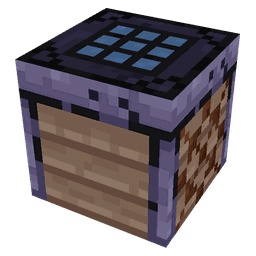
A cargo cart to start with
Warning
Enter, drive, refuel and tow
- Enter: right-click the vehicle and choose a seat. Shift reopens seat selection while aboard. Only the captain steers.
- Drive: run
/vf keybindswhile seated to see the controls for your vehicle. W/S commonly adjusts throttle and A/D steers. Controls can change between ground, flight and water. - Refuel: hold the fuel listed on the vehicle page and right-click once per item. Each Coal Block or Arcane Fuel adds 100 fuel units. Stop an Arcane Fuel engine before refuelling; Coal Blocks can be added while an engine runs.
- Carry cargo: right-click a vehicle with storage to open its containers. Wooden Cart and Cloudskimmer each hold 54 slots. Behemoth has four 54-slot holds. Coal Car holds 27 slots of Coal Blocks.
- Tow: sneak-right-click a Wooden Cart or Field Artillery, then sneak-right-click a Horse Cart to connect it. Repeat on the towing vehicle to detach. Stay within eight blocks while making the connection.
Save fuel by stopping the engine
Ownership and passengers
Claim a new vehicle by right-clicking it. A claimed vehicle starts with an owner-only whitelist. Open Ownership Settings in Select Seat to allow other players, add a player by name or enable passenger tickets. With tickets enabled, hold Paper and right-click your vehicle to make matching tickets for passengers. Reset Owner releases ownership. Clicking an occupied yellow seat ejects its passenger and prevents re-entry for 60 seconds.
Use /vf findvehicles to locate your vehicles. Vehicles more than 160 blocks from players unload into storage; they are not destroyed.
Repair and repaint
Hold Vehicle Repair and right-click a grounded, stationary vehicle, or use a mechanic seat to repair while aboard. Use the Repair Tool in the menu to fix components and the Water Bucket for fires. Keep the menu open and stay nearby until repair finishes. Hold Vehicle Paint and right-click to open Select Skin.
| Engineer Station tool | Materials | Time | Requirement |
|---|---|---|---|
| Vehicle Repair | 4 Iron Ingots | 5 seconds | Vehicle Mechanic profession |
| Vehicle Paint | 1 Common Item Skin Scroll | 5 seconds | Vehicle Mechanic and rank or higher |
Vehicle Mechanic costs two Crafter profession points. Keep ship pumps repaired to control flooding. Repair damaged engines and wings to recover performance.
Preview skins
Choose a vehicle above, then select one of its available skins beside the preview. Drag the model to rotate it and scroll to zoom. The vehicle name opens its full materials and specifications page. In game, use Vehicle Paint to choose from the skins available to you.
Mounted weapons and ammunition
Choose the seat assigned to a weapon. Hold its ammunition and right-click to reload, then use Space to fire. W/S adjusts elevation and A/D traverses; mounted rifles aim toward your cursor. Check /vf keybinds for the controls of your current seat.
| Weapon | Reload | Ammunition |
|---|---|---|
| Mounted Rifle | 5 s | Bullet Box |
| Naval Cannon | 5 s | Cannonball (+ Clusterbomb on some) |
| Anti-Air Turret | 10 s | Bullet Box |
| Autocannon | 5 s | Flak Shells |
| Flak Cannon | 10 s | Flak Shells |
| Ammunition | Rounds per item |
|---|---|
| Bullet Box | 100 |
| Flak Shells | 30 |
| Cannonball | 1 |
| Small Bomb | 1 |
| Small Bomb (rack) | 8 |
| Clusterbomb | 1 |
| Torpedo | 1 |
Note
Warning
Train tracks
Build trains on custom train tracks. Craft Train Track in batches of 64 at the Block Station. Leave room for wide bends and gentle slopes: turns have a 35-degree limit, and slopes have a 10-degree maximum.
| Track item | Use |
|---|---|
| Track Small | lay a short segment |
| Track Medium | lay a medium segment |
| Track Large | lay a long segment |
| Train Track | the track piece itself (64 per craft at the Block Station) |
| Railroad Switch | switch/junction marker |
Commands
| Command | Aliases | What it does | Notes |
|---|---|---|---|
/vf keybinds | None | Prints controls for your current vehicle and its current state. Sit in a vehicle first. | None |
/vf findvehicles | None | Lists your vehicles and their world coordinates. An unloaded vehicle can show location unknown (stored). | None |